
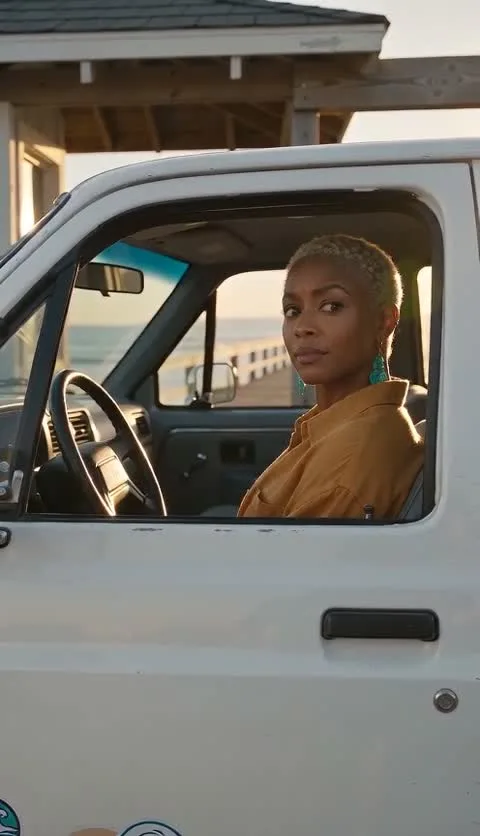
The Hit the Road Dude AI effect turns a small exchange at a pickup window into a new fictional performance. A driver notices an off-camera visitor, pauses in disbelief and delivers an original send-off. The pleasure is in the attitude: a quiet look can make a bigger joke than a busy scene. Here is what the effect creates, what you can change and how to explore it before starting your own take.
A reaction you can build a character around
Imagine a relaxed driver who has heard one questionable request too many. The vehicle stays parked, the window stays open and the visitor stays outside the frame. A slight lean toward the door, an eyebrow movement and a small gesture give the fictional driver a complete point of view. That simple setup leaves room for your own character and reason for the interruption.
This is generated video, so the result can include movement, a changing expression and original sound. A reference photo supplies visual inspiration for a new character; it is not a promise to transfer an exact identity into existing footage. Keep your direction focused on a performance you would enjoy watching.
Keep the pickup, change the personality
A practical work shirt, a neat jacket or a deliberately unimpressed fictional bulldog gives the same window scene a different personality. Start with one strong visual choice. A clear silhouette and readable face help the character carry the joke without needing a second person or a complicated action sequence.
Then decide why the driver is objecting. Perhaps somebody wants to borrow the parking space, take a shortcut through a campsite or use the workshop as a turnaround. Give the character a harmless, understandable boundary. A dry response feels more playful when the disagreement is small and the gesture is relaxed.
Watch ten original examples before choosing a direction
Our public collection includes the fictional bulldog demonstration and nine separately generated scene concepts. Watch the complete videos to compare the character, setting and delivery. A coastal road gives the reaction a relaxed atmosphere; the desert mechanic has a different reason to protect a patch of roadside space. These are project demonstrations, rather than customer testimonials.
The bulldog demonstration is approximately 15 seconds at 720p. The nine scene concepts are approximately 10 seconds at 480p, made separately from the standard customer workflow. Each watch page identifies its actual format and includes the example prompt. Use those details to judge the examples on their own terms.
Make the creative choices, then confirm the take
In the creator, choose an authorized reference and keep the classic pickup scene or select a different setting. The built-in direction supplies a starting structure. Open the custom controls when you want a particular mood or an original line; you do not need to describe every camera setting just to begin.
Check live availability and the quote before submitting. The standard customer take is 15 seconds, native 720p and portrait 9:16 MP4 with generated sound. One approved take uses 100 credits. Guest purchase is available without registering an account, and the one-time packs do not automatically renew.
Choose a take worth keeping
A generated performance can change the exact words, facial details or timing you imagined. Review the entire result, including the sound and ending, instead of choosing from the cover alone. A clear expression and an easy-to-understand last line are useful signs that the little scene reads well.
New outputs remain private while they await operator review. After approval, use My videos to preview and download the MP4 before its displayed deadline. If you plan another attempt, change one creative choice with a purpose. Give the next fictional driver a different attitude, rather than asking for more movement simply because there is room for it.